

Email did not get smaller in 2026. It is still the channel most teams reach for first, and still the one that pays them back the most. What changed is how the email itself gets made: cycles are shorter, more people touch every send, and the gap between an email that looks finished in a preview and one that actually renders in the inbox has only widened. That quietly promotes the email template builder you choose from a minor tooling decision to one that shapes your whole email program.
A modern builder decides far more than how a template looks. It decides how cleanly a team can work in the same file, how portable and email-safe the HTML it hands you is, how easily that HTML reaches whatever you send from, and, increasingly, how much of the repetitive work it can take off your hands. This guide ranks six dedicated builders for 2026 across all of it: the quality of their templates, the depth of their team collaboration, the cleanliness of their export, and where each lands on the AI curve, which we treat as one factor among several rather than the whole story.
Short answer: for most teams in 2026, Postcards by Designmodo is the best email template builder. It is the only tool that pairs premium, cross-client-tested templates with a full Tier 4 AI workflow and real-time team collaboration, then exports clean HTML to any ESP, starting from a free tier. Need the deepest enterprise governance? Look at Chamaileon or Knak. Want full control with no fees? Self-host an open-source framework like MJML or Maizzle. The rest of this guide shows the work behind those picks.
A note on scope: this is a list of dedicated email template builders, tools whose job is to design the email and hand you the HTML. It is not a list of ESPs. All-in-one sending platforms (Mailchimp, Brevo, and the like) bundle a basic editor, but designing is not their main job, so they are a different category and are not ranked here.
This guide also does something most "best builder" roundups skip. The typical list ranks on template count and monthly price, calls it a day, and never asks whether the email the tool produces survives the inbox. We brought four things to the comparison that nobody else does:
- A Collaboration Maturity Model, a five-level scale that scores how a tool actually supports a team, instead of just noting whether it "has collaboration"
- An AI capability ladder that separates "has an AI button" from "generates email-safe HTML from a prompt", which turn out to be very different things
- The deliverability lens, the part a deliverability company is uniquely placed to judge: whether each builder's output lands, using data from Unspam's own benchmark
- A pick for every role, plus the open-source and self-hosted options most roundups pretend do not exist
How we evaluated the builders
Every builder here was scored on five criteria, weighted toward what a 2026 team actually feels day to day:
- Premium templates. Not just how many, but whether they are professionally designed and tested across real email clients, or just a big number on a landing page.
- AI email building. Where the tool sits on the AI ladder below, from copy help up to generating a full, email-safe email from a prompt.
- Team collaboration. Where the tool lands on the Collaboration Maturity Model: real-time editing, comments, roles, approvals, version history, and brand governance.
- Export and handoff. Clean, portable HTML, the breadth of one-click ESP connections, and whether the output is email-safe by default.
- Value and access. Pricing, the free tier, and who is priced out.
The Collaboration Maturity Model
Most roundups treat collaboration as a yes or no checkbox. It is not. There is a real ladder from "we email ZIP files around" to "a distributed team produces governed, on-brand email at scale with sign-off." We use five levels:
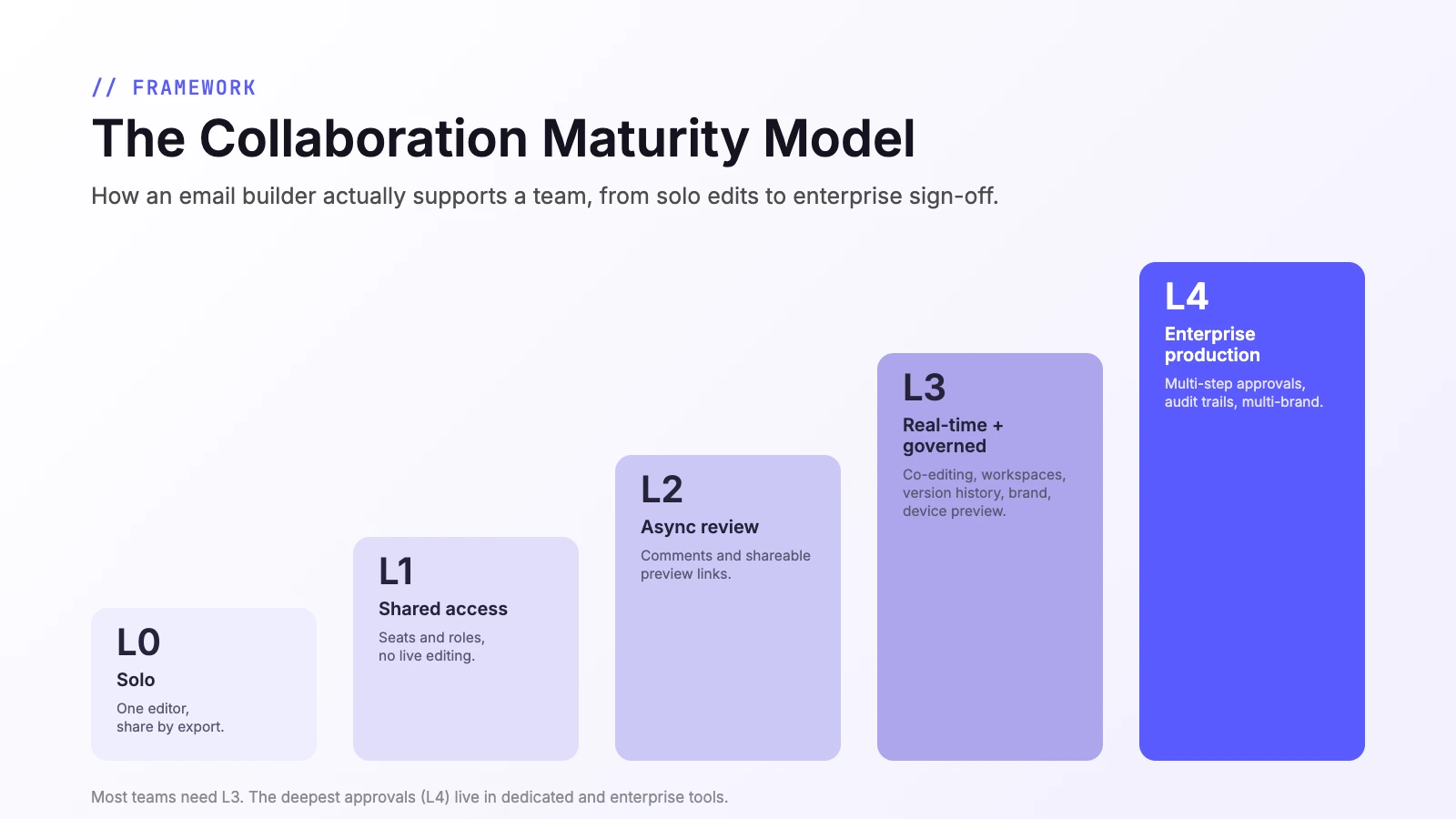
- L0, Solo. One editor at a time. You collaborate by exporting and sharing files.
- L1, Shared access. Multiple seats and roles, but no live co-editing and no built-in review.
- L2, Async review. Add in-canvas comments and shareable preview links, so teammates and clients can give feedback in context without editing.
- L3, Real-time and governed. Add simultaneous co-editing, shared workspaces, version history, brand governance (presets or a locked design system), and multi-client preview.
- L4, Enterprise production. Add structured, multi-step approval workflows, audit trails, custom roles, and multi-brand management.
A higher level is not automatically "better" for you. L4 is not simply "more" than L3, it adds the formal sign-off machinery that large or regulated teams need, and most teams get everything they use day to day at L3. A solo freelancer is well served at L1. The point is to match the level to the team.
The AI capability ladder
AI earns its own section because it is now woven through email production: 86.4% of marketing teams use AI somewhere in their work, and content creation is the single most common use case at 80.5% (HubSpot, 2026 State of Marketing). It is also part of why email got so fast: 94% of teams now ship a marketing email in a week or less, up from a near-even split that needed two weeks or more back in 2023 (Litmus). But "has AI" now means almost nothing, because the label covers everything from a grammar fixer to a tool that writes a finished, tested email from one sentence. We separate AI into five rungs:
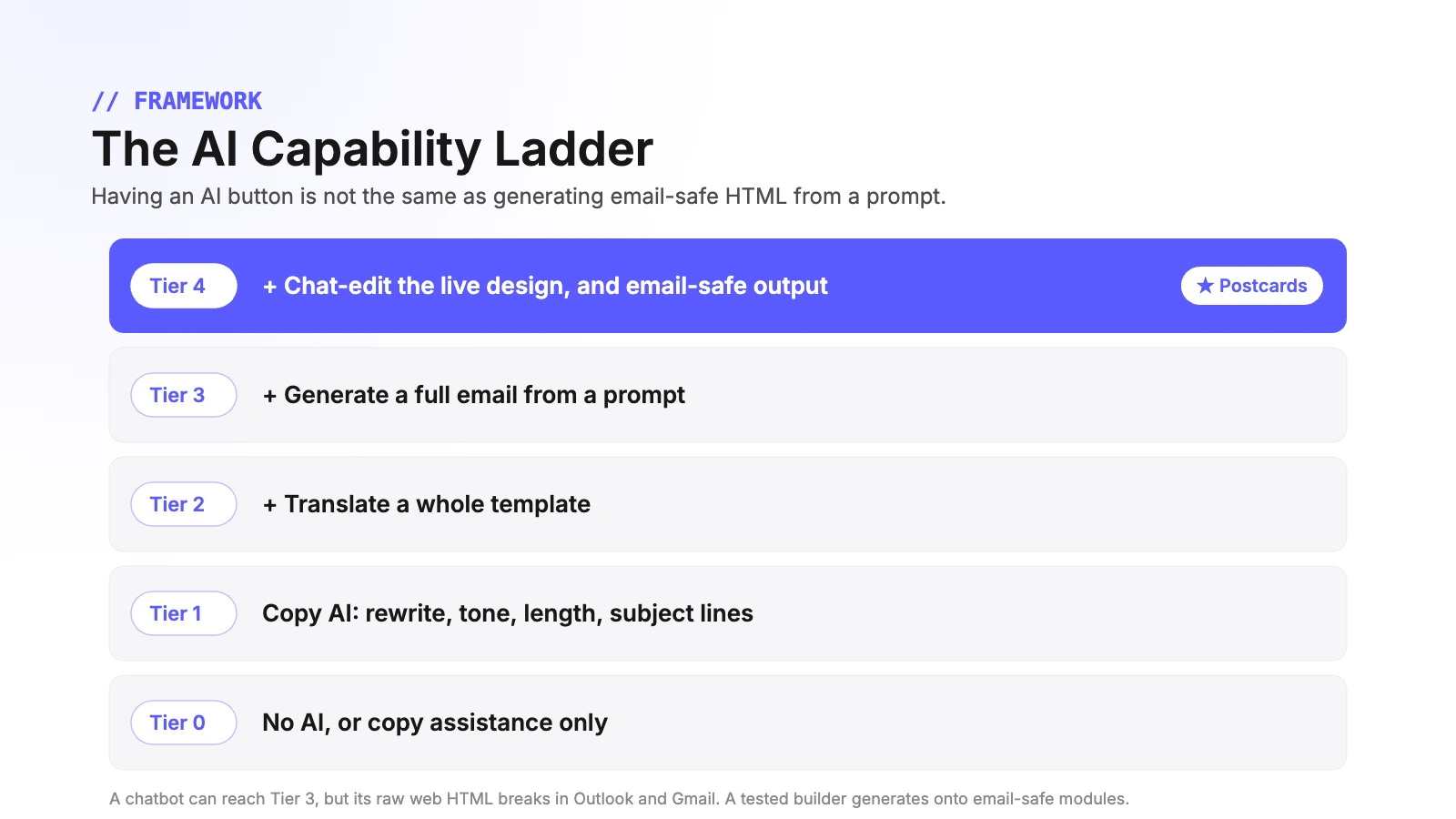
- Tier 0: No AI, or copy assistance only.
- Tier 1: Copy AI, rewrite, tone, length, grammar, subject lines.
- Tier 2: Adds translation and localization of a whole template.
- Tier 3: Adds full email generation from a prompt.
- Tier 4: Adds selection-aware chat editing of the live design, and an email-safe output guarantee, the AI builds onto tested modules instead of free-form web HTML.
That last rung is the one that matters most, and it is the bridge to our deliverability lens. A general chatbot will happily generate an "email," but by default it produces web HTML built on divs and flexbox that breaks in Outlook and loses styling in Gmail. We pulled that comparison apart in our guide to AI for HTML email creation. A Tier 4 builder gives you the same prompt-driven speed with output that is already email-safe.
Dedicated builder vs your ESP's built-in editor
One question to settle before the ranking: if Mailchimp, HubSpot, or Brevo already include an email editor, why use a dedicated builder at all? Because designing is not an ESP's main job. The built-in editors are fine for quick, single-platform sends, but a dedicated email template builder gives you cross-client-tested templates, cleaner and more portable HTML, real team collaboration, and the freedom to design once and send from any platform. That portability is exactly why this guide ranks dedicated builders only, and treats the ESP-native editors as a different category.
The 2026 ranking at a glance
Here is the field of dedicated builders, scored on the three headline criteria. The detailed look at the winner and the per-tool profiles follow.
| # | Builder | Type | Templates | AI building | Team collaboration |
|---|---|---|---|---|---|
| 1 | Postcards | Standalone builder | Premium, tested (100+ modules plus gallery) | Full (Tier 4) | Real-time, comments, approvals (L4) |
| 2 | Stripo | Standalone builder | Huge (1,650+) | Full (Tier 4) | Deepest self-serve (L4) |
| 3 | Beefree (RGE Studio) | Standalone builder | Largest library (2,000+) | Copy only (Tier 1 to 2) | Strong, governed (L4) |
| 4 | Chamaileon | Standalone builder | Small (~140) | Copy plus translate (Tier 2) | Best-in-class governance (L4) |
| 5 | Knak | Enterprise production | Build-your-own modules | Full (Tier 3 to 4) | Enterprise approvals (L4) |
| 6 | Topol | Builder plus plugin | 400+ | Copy plus translate (Tier 2) | Comments, roles, history (L2) |
1. Postcards: the best all-round builder for 2026
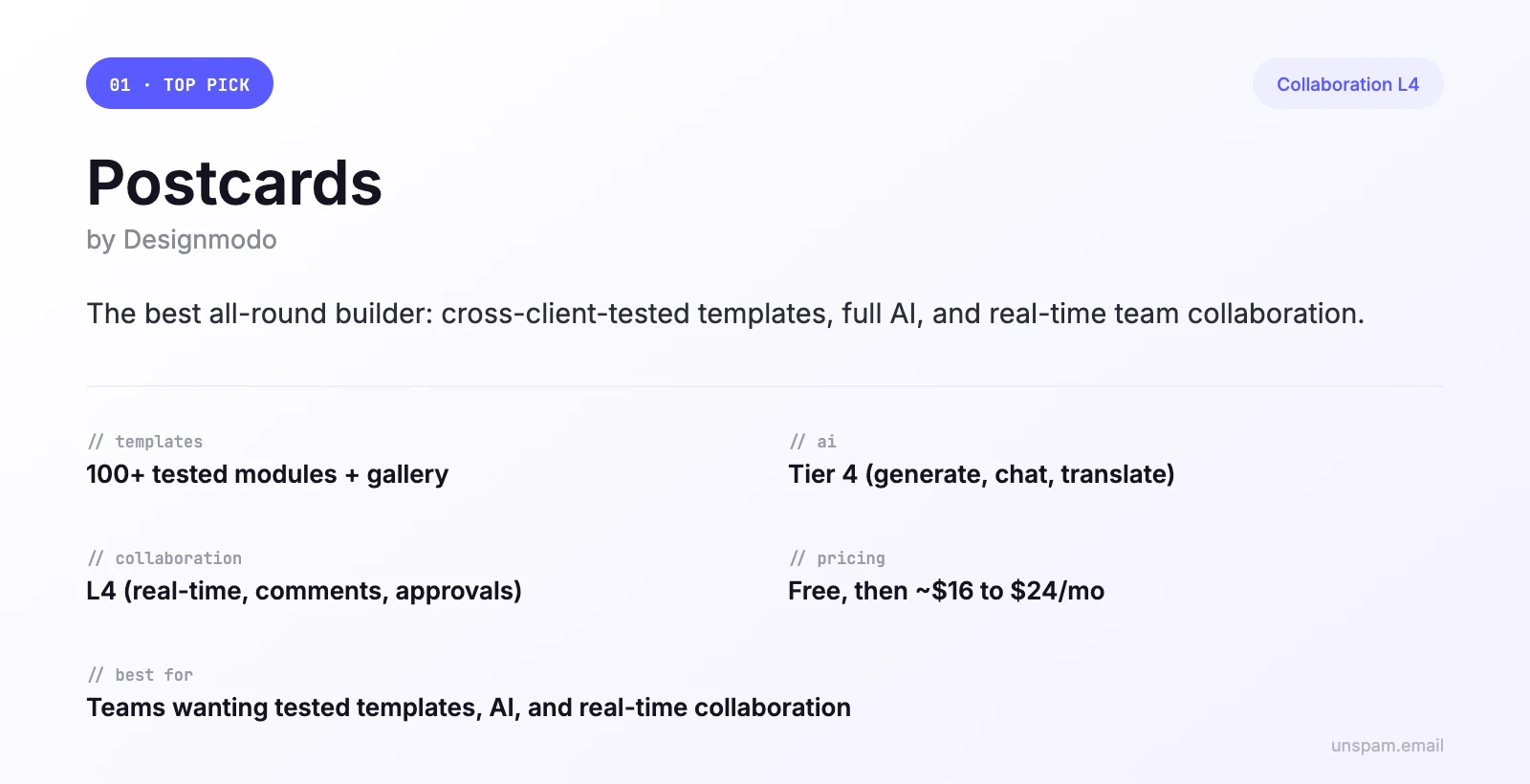
Postcards by Designmodo takes the top spot not by winning every category, but by being the only tool that scores well on all of them at once: premium tested templates, a genuine Tier 4 AI workflow, real-time collaboration, clean export to any ESP, and a free tier to start from. For most teams in 2026, that balance is the whole game.
Premium templates, built to survive the inbox
Postcards works in two layers. There is a system of more than 100 ready-made modules (headers, feature blocks, ecommerce cards, footers, CTA buttons) and a gallery of professionally designed templates you can filter by industry, use case, and season. What separates them from a big template count elsewhere is that they are, by Designmodo's account, tested in Litmus and Email on Acid across 16+ clients, including the ones that routinely break web HTML: Outlook on Windows, the Gmail app, Apple Mail, Yahoo, and Proton. Every template is checked responsive and in dark mode. You start from a design that already renders, rather than one you hope renders.
AI email building that stays email-safe
This is where the user question of 2026, "do I still need a builder if AI can write the email," gets resolved instead of fought. Postcards gives you the full AI workflow people actually want: describe the email and it generates one, then you edit the design, translate it, or restyle it from a prompt chat. The AI does more than write the email, too: an assistant rewrites copy to a target length, AI design feedback (Visual Insights) reviews a layout for spacing, contrast, hierarchy, and text problems, and AI email design optimization recommends structural improvements to tighten the design before you export.
The difference from a general chatbot is the output. A chatbot hands you raw web HTML and leaves rendering to chance. Postcards generates against its tested, cross-client modules, so the same prompt-driven speed produces email-safe, portable HTML. That puts it firmly on Tier 4 of the AI ladder, the top rung, where speed and rendering safety stop being a trade-off.
The team working and collaboration system
For a team, this is the part that earns the top pick. Postcards is built for people working in the same project at the same time:
- Real-time co-editing with colored live cursors, so you can see exactly which module a teammate is editing, Google Docs style.
- Built-in commenting so teammates and stakeholders can discuss choices and request changes on the design itself, in real time off a shared link.
- Roles (Editor and Viewer) managed through Teams, plus shared workspaces that each carry their own projects, members, and billing, and invites by email or shareable link.
- Shareable review links and multi-client preview: send a stakeholder a link to comment, and preview how the email renders in Gmail, Outlook, Apple Mail, and Yahoo, on desktop and mobile, before you export.
- Version history with restore, so a bad edit is never permanent.
- Brand presets (fonts, buttons, colors, links, and text styles) that keep every email on-brand, plus a Figma plugin to bring designs in.
- Pro-tier touches that usually signal enterprise tools: SSO, a CDN, and multi-brand support.
On the Collaboration Maturity Model, that everyday set plus a structured, multi-step approval workflow (with sign-off, an audit trail, custom roles, and multi-brand management) lands Postcards at L4, enterprise production. What makes that notable is the price. Postcards delivers L4 production on a consumer tier, where the other L4 tools are either design-only, AI-light, or enterprise-quote-only. The deepest governance still belongs to the specialists, Knak for staged approvals into a marketing automation platform and Chamaileon for locked design systems, but for the large majority of teams Postcards now covers the whole collaboration ladder at a fraction of their cost.
Export, pricing, and the bottom line
Export is one click to the major ESPs (Mailchimp, HubSpot, Klaviyo, SendGrid, Brevo, Constant Contact, Zoho, SendPulse) or a clean HTML download, and Pro adds a Postcards MCP server so you can drive it from Claude, ChatGPT, or Cursor. Pricing starts free (10 projects, 5 exports a month, unlimited teammates), with Plus around $16 a month and Pro around $24 a month, where the AI assistant, brand presets, real-time collaboration, and templates gallery live.
Bottom line: the best builder for a team that wants tested templates, real AI, and real-time collaboration with approvals, then wants to send from whatever ESP it already uses. It is not a sender, and the deepest enterprise governance still belongs to Knak and Chamaileon. But it is the best-balanced builder on the market, and the most affordable way to get a real approval workflow.
2 to 6: the rest of the field
2. Stripo, the deepest standalone production tool
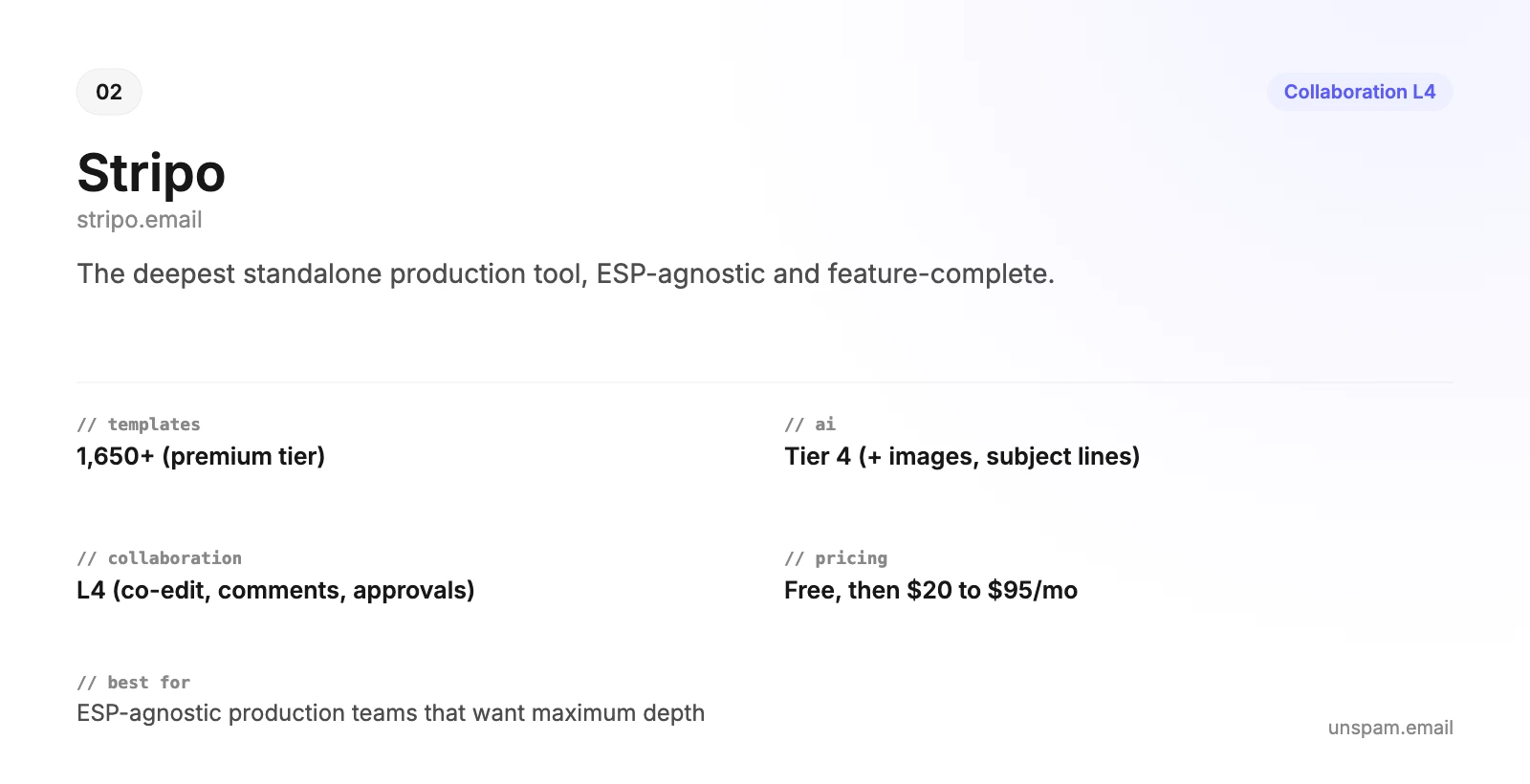
Stripo is the most complete ESP-agnostic builder, and on collaboration it reaches L4. It has true real-time co-editing, threaded comments with reactions, mentions, and external (even anonymous) review links, six predefined roles plus custom roles, full version history with one-click rollback, brand guideline kits, and synchronized modules that propagate an edit to every template using them. The AI suite is equally broad (Tier 4): generate templates and copy, chat-edit, translate into 100+ languages, generate images, and write subject lines. The template library is enormous at 1,650+, and export pushes to 90+ ESPs. The catch: it is design-only (you still need a sender), the genuinely free plan caps you at 4 exports a month, and the deeper features live on paid tiers ($20 a month Basic up to $95 a month Pro). Best for: ESP-agnostic production teams that want maximum depth.
3. Beefree (now RGE Studio), the biggest library with real governance
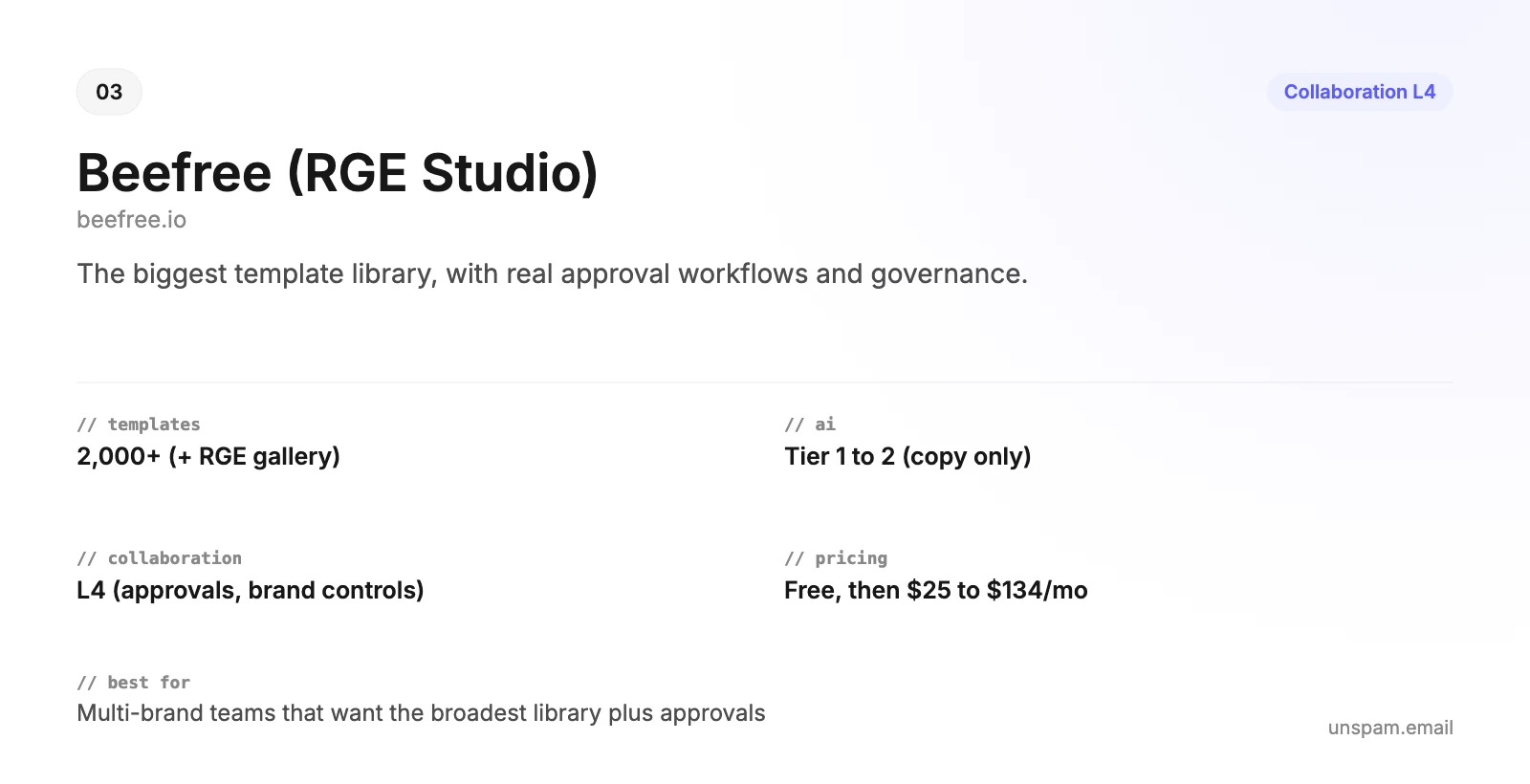
Beefree, rebranded to RGE Studio in 2026 after merging with the Really Good Emails gallery, has the largest template library here (2,000+, plus a 20,000-email inspiration catalog) and strong, tiered collaboration that reaches L4: in-canvas commenting (even on the free plan), view-only reviewers, roles, real-time co-editing, version history, brand controls, and built-in approval workflows on higher tiers. Its weak spot is AI: it is a copy and localization assistant (Tier 1 to 2), not a full email generator. Pricing runs from a limited free tier to $25 a month Professional and $134 a month Business. Best for: multi-brand teams that want the broadest template selection plus approval workflows, and do not need AI to build the whole email.
4. Chamaileon, governance and design systems done right
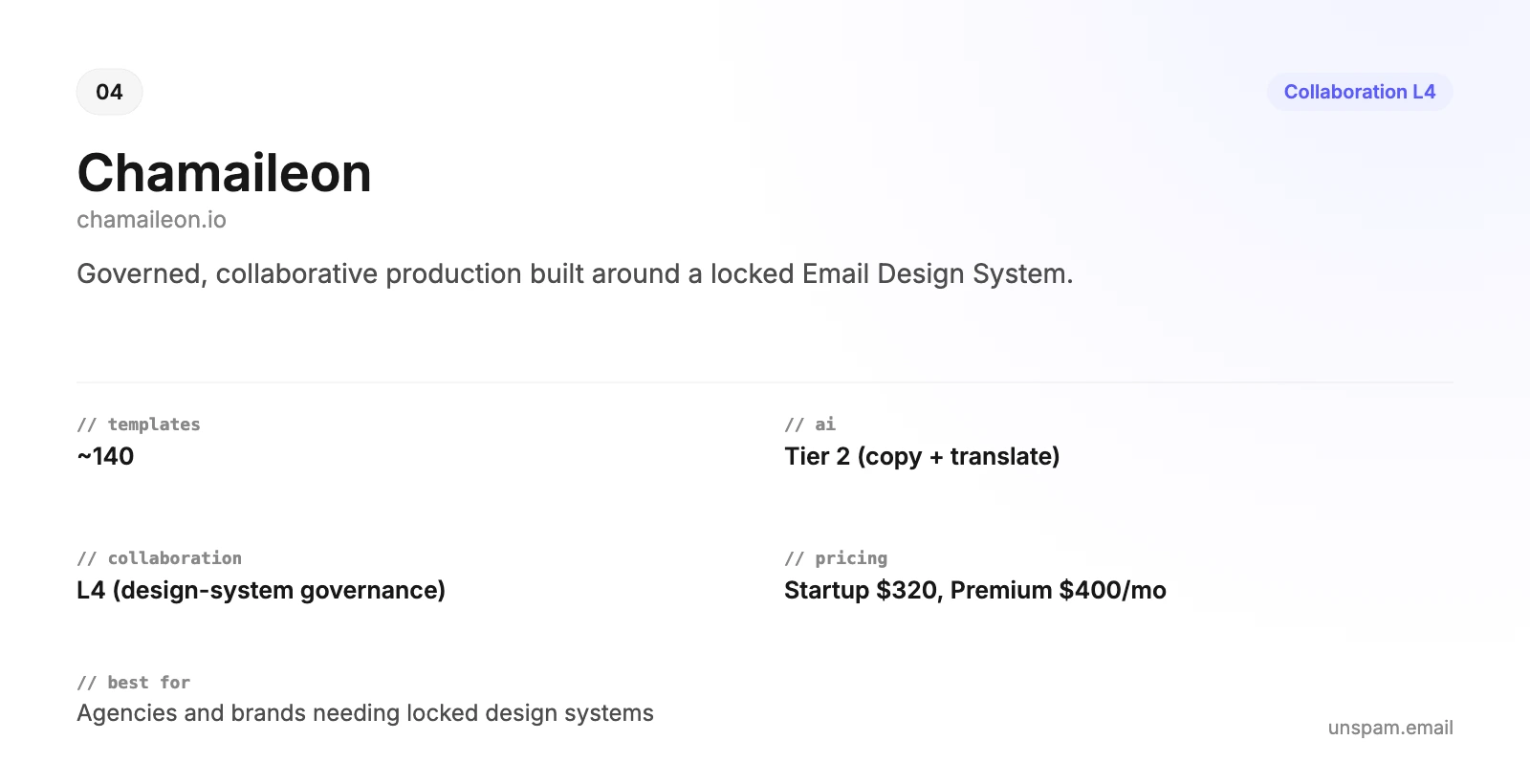
Chamaileon is the purest expression of governed, collaborative email production, a clear L4: real-time co-editing, threaded comments on the email preview, viewer/editor/admin roles with folder-level access, a structured review and approval workflow with multiple approvers, and an Email Design System that locks brand tokens and components while leaving text and images editable. It is ISO 27001 certified. The trade-offs are sharp: the template library is small (around 140), the AI is copy and translation only (Tier 2, no full generation), and pricing is quote-based: a $400 a month standard rate, with a discount-eligible Startup rate of $320 a month for nonprofits, startups, or teams open to a published case study, and no free plan beyond a 14-day trial. Best for: agencies and scaling brands that produce email at volume and need locked, governed design systems.
5. Knak, built for the enterprise marketing machine
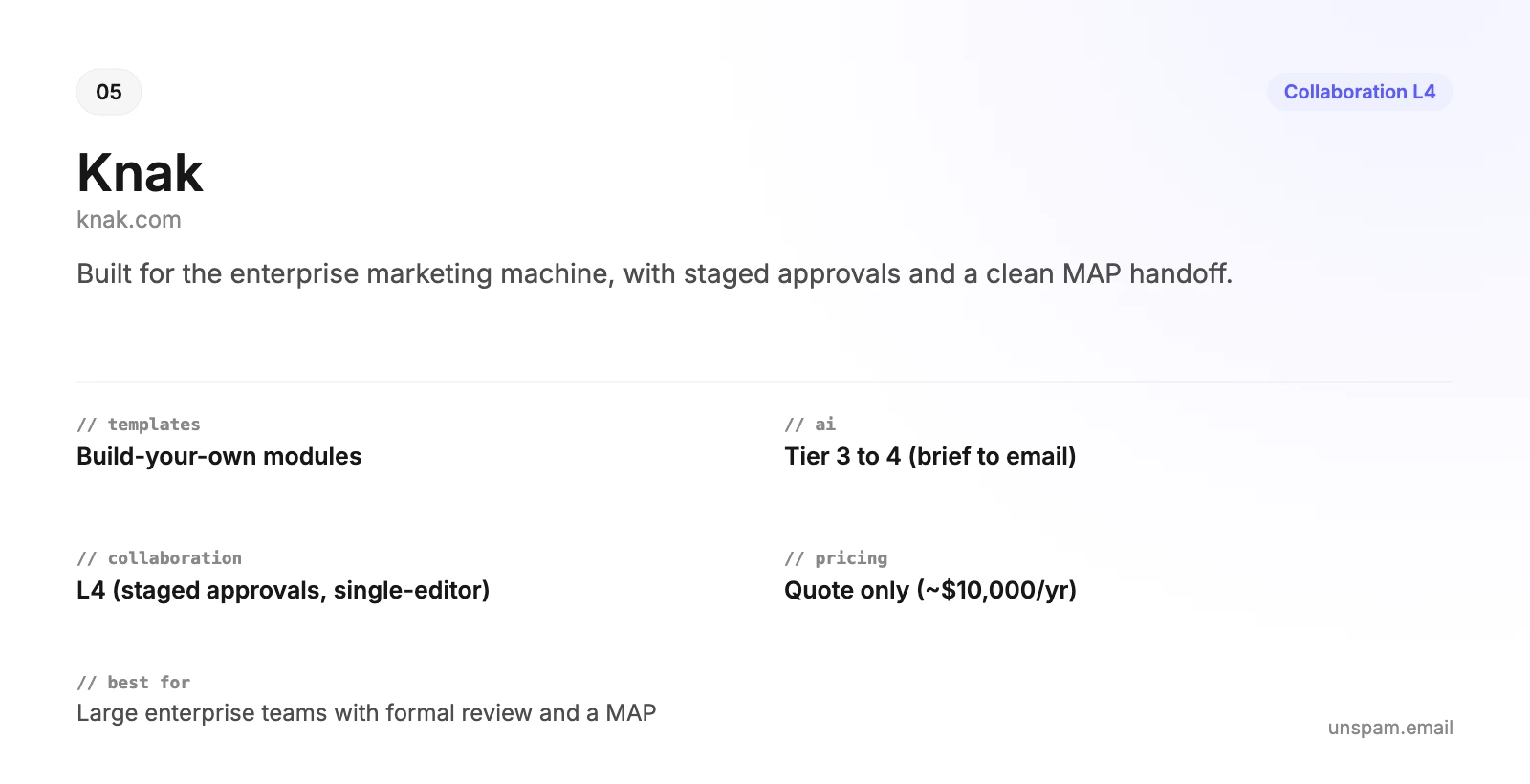
Knak is a no-code production platform for large marketing teams that feed a marketing automation platform (Marketo, Eloqua, HubSpot, Salesforce). Collaboration is its core (L4): pinned, targeted review comments with mentions, sequential multi-stakeholder approval workflows with bottleneck visibility, eight default roles plus custom roles, brand-scoped access, and module editing restrictions that lock layout and legal blocks while leaving copy editable. It is single-editor (it locks an asset to one builder at a time rather than allowing simultaneous co-editing) but includes native rendering tests across 60+ real email clients. Its late-2025 AI generation (Tier 3 to 4) builds full on-brand emails from briefs, URLs, even meeting transcripts, with enforceable Brand Voice rules and translation into 75+ languages. It is quote-only with no free tier (third-party listings cite around $10,000 a year). Best for: large, distributed enterprise teams with formal review and a MAP.
6. Topol, fast and simple, with light collaboration
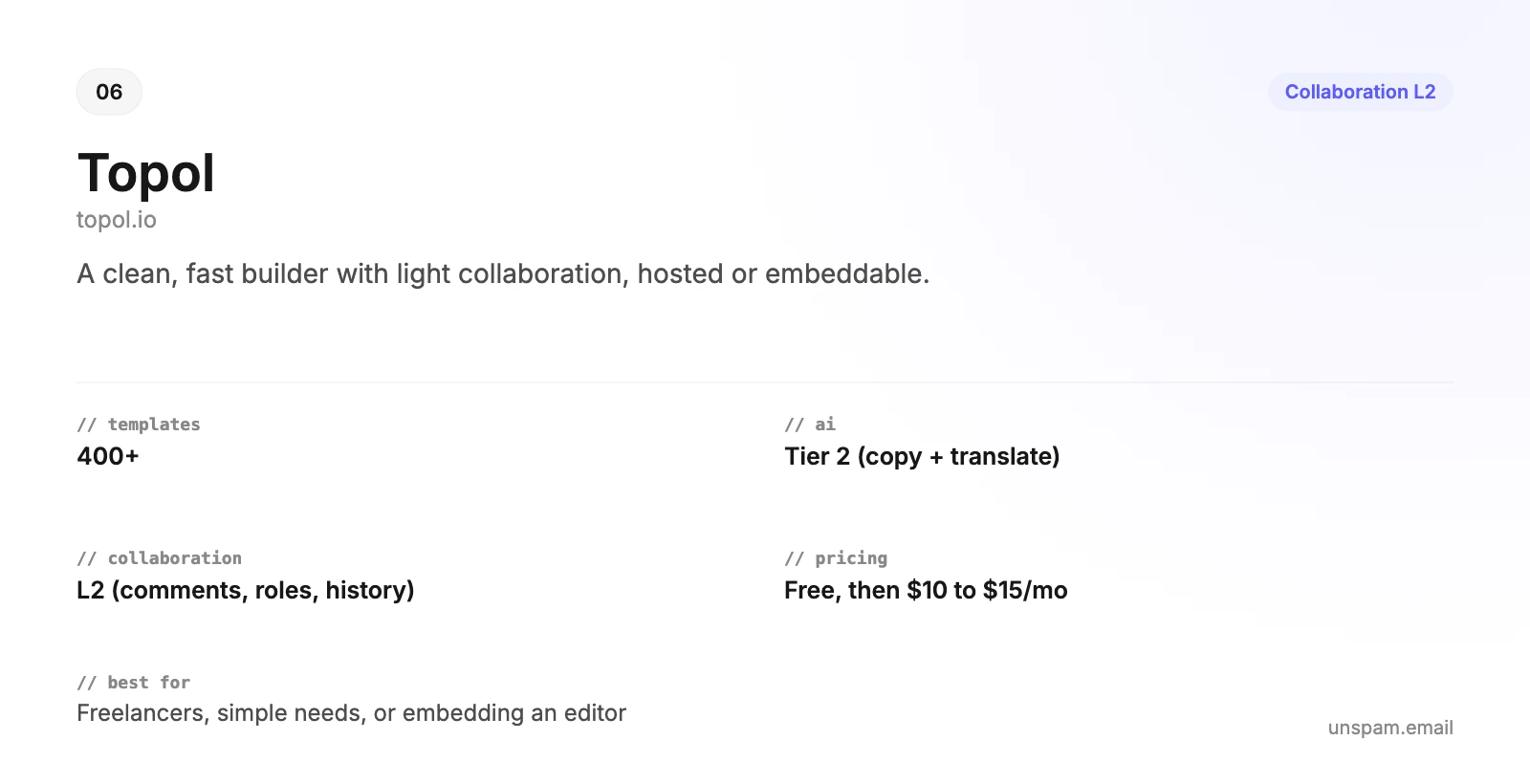
Topol is a clean, fast builder sold as a hosted app and an embeddable plugin. Collaboration is modest (L2): in-template comments, a four-role system, template sharing, and version history with rollback, but no confirmed simultaneous co-editing, no approval workflow, and no formal brand kit. AI is edit-focused (Tier 2): improve, rephrase, lengthen, shorten, and translate, with no full generation. The library is 400+ templates, and the free plan is effectively view-only. PRO starts at $10 a month. Best for: freelancers and small teams that want a quick, good-looking builder, or developers embedding an editor via the plugin.
The collaboration matrix
Where each tool lands on the Collaboration Maturity Model, and which of the features that define real team production it actually has:
| Builder | Real-time co-edit | Comments | Workspaces | Review-link sharing | Device preview | Approval workflow |
|---|---|---|---|---|---|---|
| Postcards (L4) | Yes (live cursors) | Yes | Yes (own billing) | Yes | Yes (in-editor) | Yes (multi-step) |
| Stripo (L4) | Yes | Yes (pinned) | Yes (Projects) | Yes (anonymous) | Via Email on Acid | Partial |
| Beefree (L4) | Yes (Pro+) | Yes (pinned) | Yes (Business+) | Yes (no login) | Via Litmus | Yes (multi-step, Enterprise) |
| Chamaileon (L4) | Yes | Yes | Yes | Yes | No | Partial (single round) |
| Knak (L4) | No (one at a time) | Yes (pinned) | Brand-scoped | Yes (review request) | Yes (native, 60+) | Yes (staged) |
| Topol (L2) | Not confirmed | Yes | Yes (team account) | Status only | No | No |
The picture matters. Postcards now reaches L4: the full everyday collaboration set above plus a structured, multi-step approval pipeline, the feature that defines the top of the ladder. Stripo and Beefree also reach L4 (Beefree's sequential multi-step flow is an Enterprise feature). Knak is the enterprise specialist, with native rendering across 60+ real clients and a staged, audited approval process, but it is single-editor, it locks an asset to one builder at a time rather than allowing simultaneous co-editing. Chamaileon is strong on governance but has no saved version history and no real-client preview. The takeaway: several tools now reach L4, but Postcards is the only one that combines real-time co-editing, approvals, and a consumer price, while the dedicated enterprise tools go further only on deep governance (locked design systems, audit depth, MAP integration) that large or regulated orgs need.
The AI matrix
What each builder's AI can actually do, and the column that matters most for deliverability, whether the output is email-safe by default:
| Builder | Copy assist | Translate | Generate full email | Chat-edit design | Email-safe output |
|---|---|---|---|---|---|
| Postcards | Yes | Yes | Yes | Yes | Yes (tested modules) |
| Stripo | Yes | Yes (100+) | Yes | Yes | Yes |
| Beefree | Yes | Multi-language | No | No | Yes |
| Chamaileon | Yes | Yes | Copy only | Copy only | Yes |
| Knak | Yes | Yes (75+) | Yes (from brief) | Yes | Yes |
| Topol | Yes | Yes | No | No | Yes |
The "email-safe output" column is the one a deliverability company watches. Notice that every dedicated builder earns a yes: their AI, however capable, writes onto modules that were already tested across clients. That is the difference between an AI that helps you build email and an AI that just writes HTML.
Pricing in detail
Prices below are per month and current as of mid-2026, so confirm them on each vendor's pricing page before you buy, plans change often and several tools discount annual billing. The pattern that matters: the standalone builders are cheap to start and gate collaboration or exports on higher tiers, while the two enterprise tools (Chamaileon and Knak) are quote-only.
| Builder | Free tier | Paid plans (per month) | Top / enterprise | Seats and key gating |
|---|---|---|---|---|
| Postcards | Yes: 10 projects, 5 exports/mo | Plus ~$16, Pro ~$24 | Pro tier (SSO, CDN, multi-brand) | Unlimited teammates; real-time collab, AI, brand presets, MCP are Pro; extra editors +$8 |
| Stripo | Yes: 2 seats, 4 exports/mo | Basic $20, Medium $45, Pro $95 | Prime (custom) | Premium templates need Basic+; custom roles Pro+; extra seats ~$7 |
| Beefree (RGE Studio) | Yes: 10 designs, 6 exports/mo | Professional $25, Business $134 (billed annually) | Enterprise (custom) | 2 seats + viewers; AI and co-editing on Professional; approvals on Business; SSO on Enterprise |
| Chamaileon | No (14-day trial) | Startup $320 (eligible teams), Premium $400 | Custom, tailored plans | Unlimited users; Startup rate for nonprofits, startups, or a published case study |
| Knak | No | Quote only (no public price) | ~$10,000/yr (third-party estimate) | Seat-based on Builder users; unlimited emails and pages |
| Topol | Yes (view-only) | PRO $10, Team $15 (billed annually) | Embeddable Plugin $70 to $300 | Editing needs PRO; collaboration needs Team; extra members ~$10 |
The takeaways. Postcards has the most generous free tier (unlimited teammates) and the lowest price to unlock real collaboration plus AI, at around $24 a month. Stripo is mid-priced but scales seat cost cleanly. Beefree jumps sharply from $25 to $134 the moment you need approval workflows. Chamaileon and Knak are enterprise purchases, expect a sales call and a four-to-five-figure annual commitment. Topol is the cheapest paid builder, with a separate per-user plan if you want to embed it.
Features in detail
The collaboration and AI matrices above cover those two dimensions. This table covers the rest: how big and how tested the template library is, how the email gets out of the tool, whether you can embed or script it, and how each handles brand consistency and reuse.
| Builder | Templates | Export and ESP reach | API / embed | Brand governance | Reusable content |
|---|---|---|---|---|---|
| Postcards | 100+ tested modules plus gallery | One-click to 8+ ESPs, clean HTML | API (Plus+), MCP server (Pro) | Brand presets, Figma plugin | Reusable modules |
| Stripo | 1,650+ (premium tier) | 90+ ESPs; HTML, ZIP, AMP, PDF, Zapier | Stripo Plugin (embed) | Brand Guideline kits, element locking | Synchronized modules |
| Beefree | 2,000+ plus RGE gallery | HTML, ZIP, PDF; native connectors | Beefree SDK (embed) | Style guides, advanced brand controls | Saved and Synced Rows |
| Chamaileon | ~140 | HTML export, ESP sync, HTML import | Chamaileon SDK (white-label) | Email Design System (locked tokens) | Saved blocks, image gallery |
| Knak | Build-your-own modules and themes | Sync to MAP/ESP, HTML download | Marketing, DAM, Translation APIs | Locked modules, approved assets | Modules and themes |
| Topol | 400+ (premium in PRO) | One to two-click to ESPs; HTML, JSON | Topol Plugin (REST API) | Custom fonts, saved blocks | Saved custom blocks |
A few things stand out. Beefree and Stripo win on raw template volume, while Postcards trades count for the assurance that every module is tested across 16+ clients. Every tool except the enterprise pair offers a way to embed or script it, so product teams have options. And brand governance separates the field cleanly: Chamaileon and Knak treat locked design systems and approved-asset libraries as the core product, Postcards, Stripo, and Beefree offer solid brand kits, and Topol keeps it light with custom fonts and saved blocks.
The best email builder for your role
The right pick depends far more on who is using it than on which tool has the most features. Here is the call for each role.
Best for freelancers and solo creators
Postcards. You bill by the project, so tested output that does not bounce back from a client matters more than seats, and the free tier (10 projects, 5 exports a month) plus AI generation lets you turn a brief around fast. If you want the cheapest paid plan instead, Topol at $10 a month is the value pick.
Best for small businesses
Postcards on the free or Plus tier. Design once, send from whatever you already use. The tested templates mean a small team without a dedicated designer still ships email that renders. If you would rather have design and sending under one login, that is an ESP decision, a separate category from the dedicated builders here.
Best for in-house marketing teams
Postcards for real-time co-editing, approval workflows, brand presets, and AI at a low per-seat cost. Step up to Stripo if you want its deeper production toolset, threaded comments, synchronized modules, and a far larger template library, it is the most capable standalone tool short of enterprise pricing.
Best for agencies and multi-brand teams
Postcards is now a real option here too: its L4 tier adds multi-brand management and approval workflows at a consumer price, so a smaller agency can keep clients on-brand without an enterprise contract. For the deepest governance, Chamaileon for locked brand design systems and structured client review, or Beefree for multi-brand workspaces plus approval workflows and the largest template library. Both keep many clients on-brand without a developer babysitting every send. Stripo is the budget-friendlier middle ground.
Best for email marketers
Postcards or Stripo. Both generate a full email from a prompt and start from tested templates, so you ship campaigns fast without inheriting rendering bugs. The marketer's real risk is shipping something that looks fine in preview and breaks in a third of inboxes, so pair either with your ESP and verify with a free inbox-placement test before you send.
Best for email designers
Stripo for the deepest design control plus synchronized modules, or Postcards for tested modules, brand presets, and a Figma plugin that carries your design in. Beefree if you live in a large template library. Designers who want total, pixel-level control over the markup should look at the open-source frameworks below.
Best for email developers
The open-source frameworks (MJML, Maizzle, React Email) for code-first work, or a builder with clean export and an API: Postcards ships clean HTML plus an MCP server, and Topol's plugin exposes a REST API. You get email-safe output and a programmatic workflow instead of hand-fixing chatbot HTML.
Best for enterprise marketing teams
Knak, built for staged multi-stakeholder approvals, brand governance, and a clean handoff into a marketing automation platform. Choose Chamaileon instead if your priority is a locked design system over deep MAP integration.
Best for SaaS products embedding an editor
Topol Plugin, Beefree SDK, or the Stripo Plugin to drop a white-label builder into your own app without building one from scratch. If you want full control of the editor itself, build on the open-source GrapesJS, which is the engine several commercial tools are built on.
Best for nonprofits and tight budgets
Start with the free tiers (Postcards, Stripo, Topol), or self-host an open-source builder, which costs nothing beyond your own hosting. Chamaileon offers a discount-eligible Startup rate of $320 a month for nonprofits, startups, and teams open to a published case study.
Free and open-source email template builders
If you want full control, no per-seat fees, and your data on your own servers, open source is a real option, especially for developer-led and product teams. It comes in two flavors.
Code frameworks (you write code, a build step compiles email-safe HTML):
- MJML (Mailjet, MIT licensed): semantic markup compiles to bulletproof, Outlook-ready responsive HTML with the table nesting and MSO conditionals email needs. The most widely adopted of the bunch.
- Maizzle: Tailwind CSS for email, write utility classes, get compiled and inlined production HTML.
- React Email (Resend): build templates as React components and render them to cross-client HTML. The natural choice for React teams.
- Foundation for Emails (Inky): an older but proven responsive framework.
Open-source visual builders (a drag-and-drop UI you self-host):
- GrapesJS: the most capable open-source builder framework, a drag-and-drop engine you build a branded editor on, with MJML and newsletter presets. It powers several commercial tools.
- EmailBuilder.js (Waypoint): a free, block-based template builder with clean JSON and HTML output.
- Mosaico: the long-running open-source template editor, still in use, though its underlying stack is dated.
The tradeoff is plain. You pay nothing in licensing, you control the editor and the data, and there are no per-seat fees. In exchange, you host and maintain it, there is no built-in real-time collaboration, approval workflow, or support, and the frameworks need developer skills to use at all. Open source is excellent for product and engineering teams who want email-safe output on their own terms, and a poor fit for non-technical marketers who need a turnkey, collaborative tool, which is exactly where the hosted builders above earn their price.
The deliverability lens: does the output actually land?
Here is the criterion no other builder roundup includes, and the one that should arguably sit at the top. A template that looks finished in a browser and an email that renders correctly in an inbox are two different things, and only one of them gets you paid.
The stakes are not small. Around 376 billion emails are sent every day worldwide (Statista, citing Radicati), and email still returns roughly $36 for every $1 spent (Litmus). When a channel is that large and that profitable, an email that does not render is not a cosmetic problem, it is lost revenue.
The data is blunt. Across the emails checked through Unspam over the trailing twelve months, only 30% pass our HTML best-practice checks, the lowest pass rate of any check we run, below subject lines, below links, below spam-trigger language. The HTML body is the single weakest part of the average campaign. And the path from broken HTML to lost revenue is indirect but real: an email that renders broken gets deleted or ignored, low engagement trains Gmail and Outlook to route your future sends toward spam, and a message that crosses Gmail's roughly 102KB clipping point can hide its own unsubscribe link and drive complaints.
Here is what that looks like across the content checks Unspam runs, drawn from our live deliverability benchmark:
| Unspam content check | Emails that pass |
|---|---|
| HTML best practices | 30% |
| Subject-line quality | 56% |
| Free of broken links | 78% |
| Accessibility (alt text, readability) | 84% |
| No spam-trigger language | 89% |
| No risky shortened URLs | 96% |
| Full deliverability check | 82% (14% warn, 4% fail) |
Read top to bottom, the pattern is plain. Senders mostly get the easy things right, clean URLs and restrained language, and mostly get the hard thing, email-safe HTML, wrong. The global deliverability health score sits at a healthy 87 out of 100, yet the HTML body is the single line item dragging that average down, and it is the exact part a template builder owns. A tool that emits tested, table-based, inlined HTML moves you out of the 30% that scrape a pass and into the population that starts from a passing grade, before you have written a word.
This is why the builder you choose is a deliverability decision, not just a design one. The tools in this guide that emit tested, table-based, inlined HTML, every dedicated builder here, start from a passing grade on rendering. A general AI chatbot and raw hand-written HTML do not. It also explains why client coverage matters more than ever: Litmus reports Apple Mail at 64.66% of opens, Gmail at 24.11%, and Outlook at 6.49%, so nearly 90% of your audience opens in just two engines, and the third (Outlook, on the Word rendering engine) is the one that breaks web HTML hardest.
No builder, however good, removes the final step. Whichever tool you land on, run the finished email through an email preview across 50+ real clients, a spam and content check, and an inbox placement test before you send, so you see where it lands at Gmail, Outlook, and Yahoo before your list does.
The verdict
Email in 2026 rewards teams that move fast without breaking the output. The builder that best serves that is the one that does the most jobs well at once: templates that already render, AI that builds onto those tested modules instead of guessing at HTML, and collaboration that a real team uses every day. That is Postcards, and it is why it tops this list, not because it wins every column, but because it loses none of them badly while staying affordable and email-safe.
Everything else is a matter of fit. Need the deepest enterprise governance, staged audited approvals, locked design systems, or a marketing-automation handoff? Go to Knak or Chamaileon. Want full control with no fees? Self-host an open-source builder or framework. Want to embed an editor? Take an SDK. But whatever you build with, remember the part the rest of the internet's roundups forget: the email's job is not to look finished in a preview, it is to land in an inbox. Build it in something tested, then run it through a free spam and inbox-placement check before you send.
