

Search for email deliverability tools and every result claims to fix the same problem. They do not. Some score a message before you send it, some place seed emails in real inboxes and report the folder, some ingest DMARC reports for months, some warm up mailboxes, and some just clean your list. Buying from the wrong category is the most common mistake in this market, and the most expensive.
So this comparison is organized by the job each tool does rather than as a ranked league table. Prices and feature availability here come from each vendor's own pricing and product pages, checked in June 2026 and re-checked in August 2026, and where a vendor has stopped publishing prices we say so instead of quoting a number we cannot support. Every capability claim is one we could verify; where a feature is partial or gated to a top tier, that is stated rather than ticked.
Full disclosure before anything else: we build one of these tools. Unspam is a pre-send testing platform, so treat our own two entries as the vendor descriptions they are, and note that the sections below say plainly what we do not do. If you want a straight two-way breakdown instead, every tool here has a dedicated deliverability tool comparison page.
The 16 tools at a glance
| Tool | Best at | Free tier | Entry price |
|---|---|---|---|
| Unspam | All-in-one pre-send testing | Free plan, no card | $5/mo minimum |
| Mail-Tester | Fast one-off spam scoring | 3 tests/day | $10/mo |
| MailGenius | AI-assisted content fixes | 3 trial tests | $23/mo |
| Mailtrap | Staging-safe test sending | 50 sandbox emails/mo | $14/mo annual |
| Email on Acid | Rendering QA and filter checks | Trial only | $99/mo |
| Litmus | Enterprise rendering QA | 7-day trial | Not published |
| GlockApps | Placement plus DMARC in one | 2 test credits | $59/mo annual |
| MailReach | Cheap credit-based placement tests | Free spam test | €39 / 50 credits |
| Folderly | Done-for-you placement remediation | 2 placement tests/mo | $79/mo |
| Mailgun Optimize | Deliverability bolted to sending | 1-month trial | $49/mo |
| Validity Everest | Largest real seed network | None | About $22,000/yr |
| Warmy | Mailbox warmup at volume | 7-day trial | Quoted on request |
| EasyDMARC | DMARC report monitoring | 1 domain, 1,000 emails/mo | About $42/mo |
| MXToolbox | DNS diagnostics and blocklist watch | Free lookups | $129/mo |
| ZeroBounce | Verification with a bundled suite | 100 credits/mo | $20 one-time |
| Kickbox | Pay-as-you-go verification | 100 verifications | $5 one-time |
Comparison based on publicly available information, re-checked August 2026. Features and pricing change frequently, so please verify current details on each provider's website.
Two things stand out. The spread is enormous: the same broad promise costs $5 a month at one end and roughly $22,000 a year at the other. And the free tiers are not all marketing, because several are large enough to run a real campaign check.
Category 1: pre-send spam testing
These tools take one message and tell you what is wrong with it before recipients see it. Content, HTML, authentication, blocklist status, spam score. This is the category to start in if your symptom is "campaigns land in spam and I do not know why", because it is the only category that produces a list of specific defects you can go fix.
1. Unspam
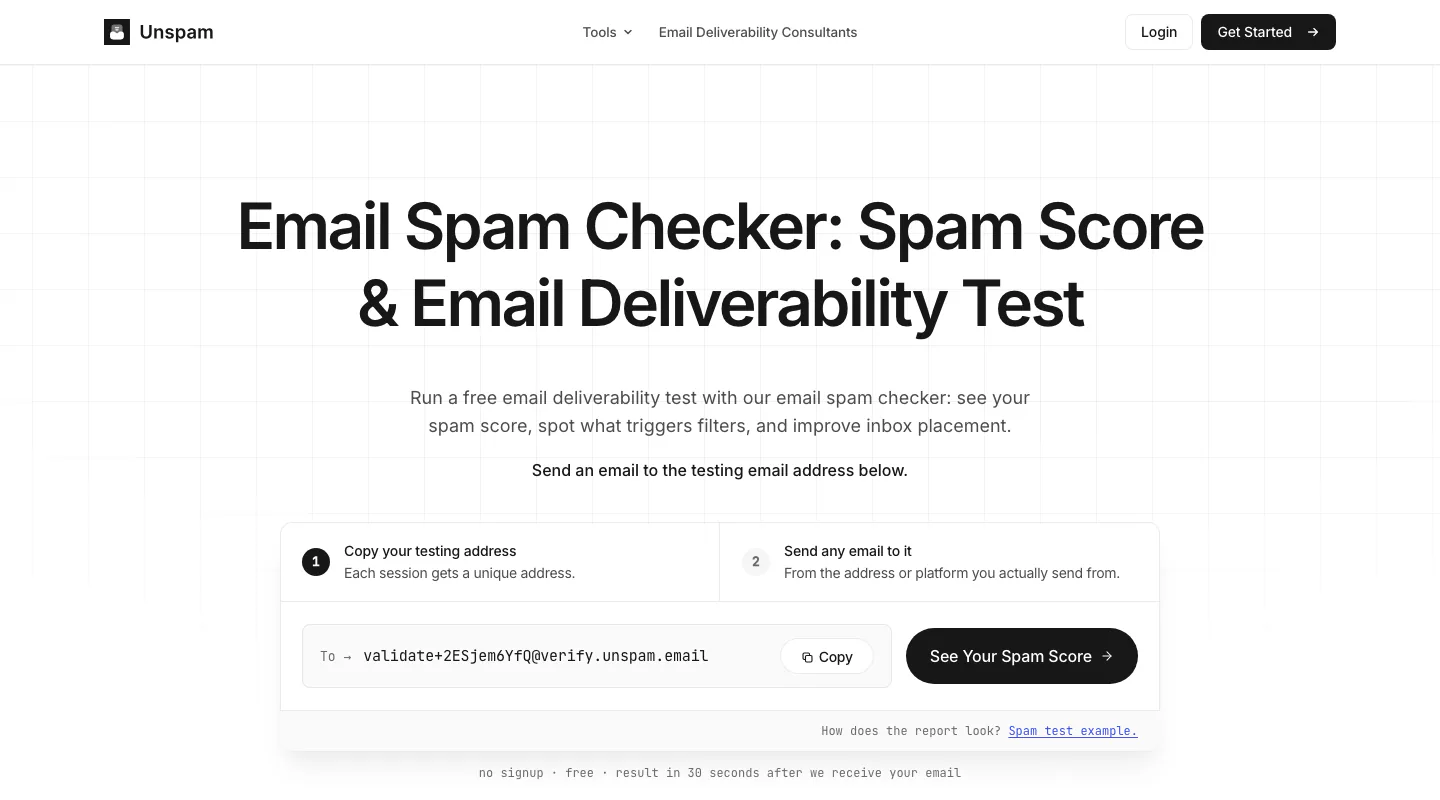
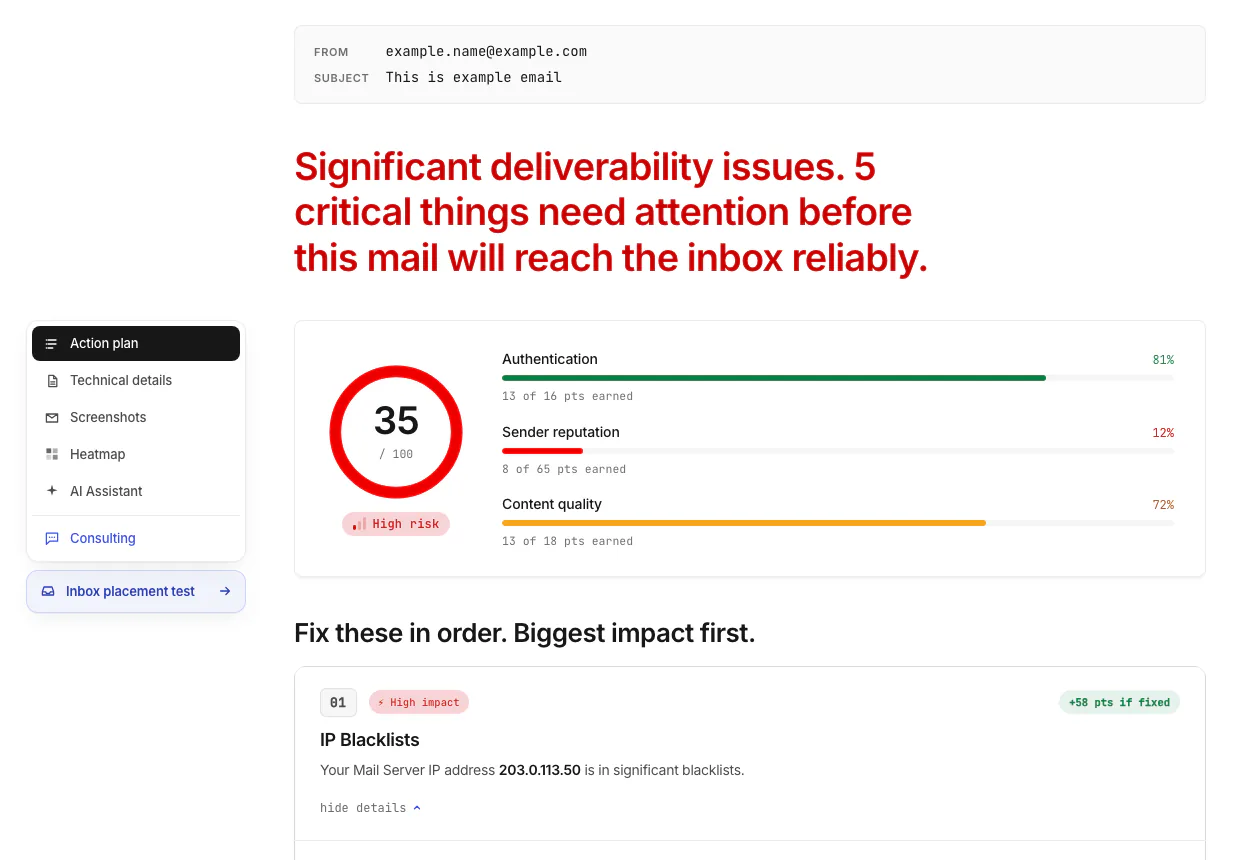
Our own platform, so here is the factual shape of it. A test returns a spam score with the reasons behind it, SPF and DKIM verification, reverse DNS, an on-demand blocklist lookup, subject line and content analysis, and an AI assistant that explains each failure. Alongside the score it runs client previews across 50+ real email clients in light and dark mode, an attention heatmap, and inbox placement tests against real seed mailboxes. Both placement tests and spam tests can run on a schedule, sender accounts are unlimited on every plan, and there is an email spam checker API plus an MCP server for teams wiring checks into their own pipeline.
Press play to load this video from YouTube (Google). See our cookie policy.
The report is built to be read by someone who is not a deliverability engineer, which is the actual design goal.
What we do not do, stated plainly: no automated mailbox warmup, and no continuous blocklist or reputation watch (our blocklist checking is on demand, when you run a test). DMARC aggregate reports are covered by DMARC monitoring on the Custom plan, with the first domain included and $6 a month for each domain after it, but it reads aggregate reports only, not failure reports. If either of the first two is your core requirement, buy from the relevant category below instead.
Unspam has two plans on sale. The Free plan needs no card and includes 5 spam tests, 3 inbox placement tests, 3 device previews, 5 screenshots and 5 heatmaps a month. The Custom plan is pay per test from a $5 monthly minimum, at rates that drop as your volume grows. You size it yourself in the plan builder on the Unspam pricing page, with no sales call. The Custom plan includes the Unspam API and MCP server. Custom plan customers may build Unspam's tests into their own product and resell them under their own brand. Annual billing takes 15% off, and every paid plan has a 14-day refund. The Custom plan replaced the fixed Basic, Business, Agency and White Label plans in September 2026, so a roundup that still quotes those tiers is out of date. Separately, deliverability consultants are available as a service rather than software.
Best for: teams that want spam score, previews, authentication and placement in one report at a low monthly cost.
2. Mail-Tester
The fastest way to score a single message: send an email to a generated address, get a score out of 10 with the failures itemized. Free covers 3 tests a day, which is genuinely enough for occasional checks. Paid plans are the same product at higher volume, from $10/mo for 50 tests up to $700/mo for 25,000, all excluding VAT, and they add a JSON API, iframe embedding, white-label CSS and 30 days of history.
The limits are the point of the design: no inbox placement against seed mailboxes, no client previews, no scheduling, and blocklist checks only within a test. It does one thing quickly. See the Mail-Tester comparison for the side-by-side.
Best for: developers and marketers who want a quick score with no account overhead.
3. MailGenius
A spam test with an AI layer that rewrites copy rather than only flagging it, plus a cold email guide and competitor email testing on the middle tier. Beginner is $23/mo for 60 tests, Genius is $39/mo for unlimited tests, and a $79/mo tier adds automatic testing of every outbound email plus blocklist monitoring with alerts across unlimited domains.
No inbox placement reporting, no previews, and the API is application-gated. Worth noting when comparing: some review sites still quote older, cheaper MailGenius tiers that no longer exist. The MailGenius comparison has the current feature grid.
Best for: copy-heavy senders who want content rewritten, not just scored.
4. Mailtrap
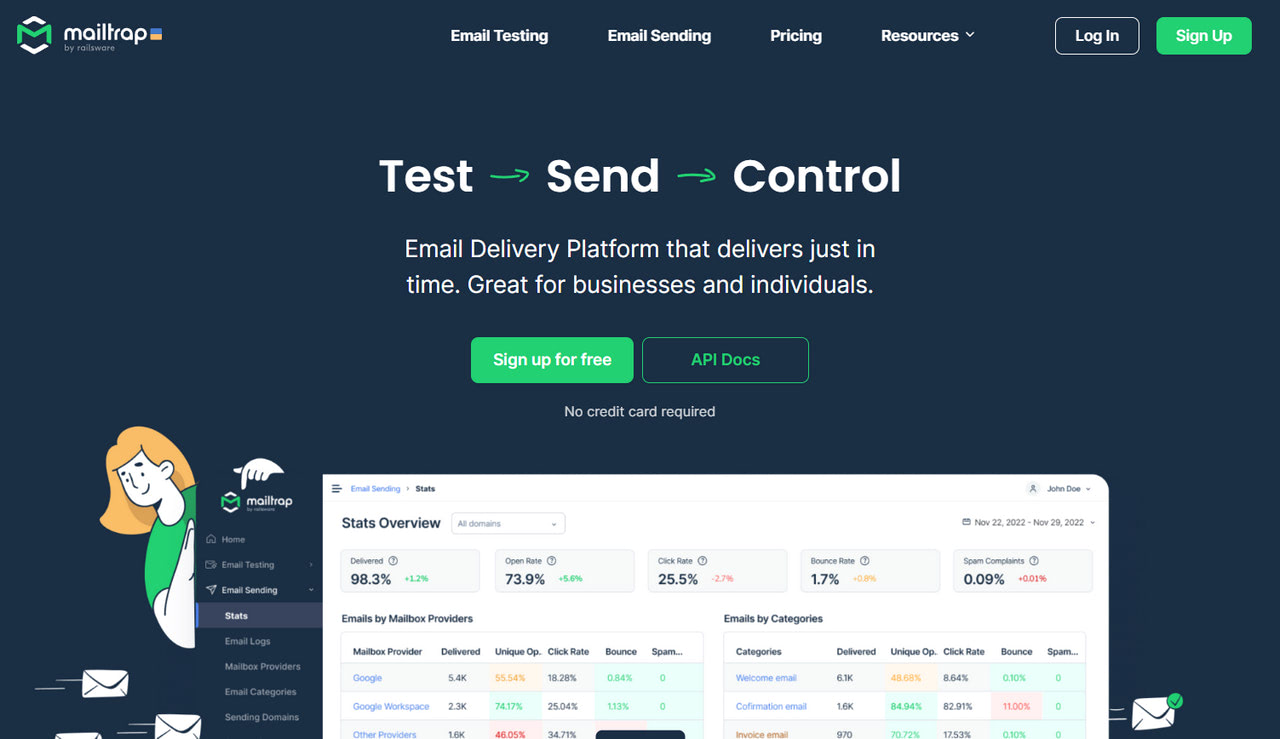
Mailtrap's Email Sandbox captures outbound mail from a staging environment so nothing reaches real recipients, then runs a spam score, SPF, DKIM, DMARC and HTML checks on what it caught, with previews. That safety property is why development teams pick it, and it is a different job from testing a finished campaign.
Free covers 50 test emails a month. Sandbox Basic is $14/mo billed annually, Team $34/mo, Business $99/mo. The important billing detail: Email Sandbox (testing) and Email API/SMTP (real sending) are separate products billed separately, so you may need both. Placement is sandbox simulation, not real seed mailboxes. The Mailtrap comparison covers where that distinction bites.
Best for: engineering teams testing transactional email inside a release pipeline.
5. Email on Acid
Strong rendering QA: unlimited previews across 90+ clients and devices on the legacy Basics tier at $99/mo, with Premium at $179/mo adding full Campaign Precheck (accessibility, link and image validation, spell check, spam testing against 23 filters and domain blocklist testing).
Buy carefully right now. Email on Acid is owned by Sinch and began transitioning to Mailgun Inspect in June 2026, existing previews and tests do not transfer, and the successor tiers cap previews rather than offering them unlimited (Basic $99/mo for 1,000 previews, Premium $199/mo for 2,000, $0.15 per extra). There is a trial but no permanent free plan. The Email on Acid comparison tracks the migration.
Best for: design teams whose main risk is broken rendering, if you accept the platform transition.
6. Litmus
The long-standing rendering QA standard: previews across 100+ clients and devices, automated QA checks, spam filter testing against 20+ simulations, authentication checks including BIMI, a builder and analytics.
The pricing changed in a way that matters. On 1 August 2025 Litmus retired its Basic and Plus tiers (roughly $79 to $199/mo) and replaced them with Core at $500/mo for 5 users and 2,000 previews. As of August 2026 Litmus no longer publishes any price: the pricing page advertises unlimited seats and usage and routes to sales, so $500/mo is the last public figure rather than a current one. Real seed inbox placement is not part of core Litmus: it is a paid Deliverability add-on powered by Validity Everest, following Validity's April 2025 acquisition. Filter simulation is not the same as real placement, a distinction the Litmus comparison covers directly.
Best for: large in-house teams that need rendering QA and proofing at scale.
Category 2: inbox placement and seed testing
These tools send your message to real mailboxes they control across many providers, then report which folder it hit. That is the only way to see Promotions-tab and Junk-folder outcomes, because no content scan can predict a provider's reputation verdict.
Unspam (also entry 1 above)
Placement is the half of our platform that belongs in this category, so here it is on the same terms as everything else. A run delivers your message to 10 seed mailboxes across 7 providers, Gmail, Outlook, Yahoo, Zoho, ProtonMail, AOL and GMX, then reports Inbox, the Promotions or Updates tab, Spam, or Missing for each copy. Every run uses all 10 seeds and counts as a single test against your monthly quota however many it reaches, so there is no per-inbox billing to model.
Scheduling it is automatic inbox placement: connect the accounts you actually send from, pick a cadence of daily, weekly, chosen weekdays or monthly, and Unspam re-sends your captured email from your own sending identity on that schedule and grades where each copy lands. The spam score has the same cadence available as an automatic spam test, which re-scores authentication, sender reputation and content on every run. Threshold alerts fire when placement or spam rate crosses a line you set. Sending accounts are unlimited on every plan, and the pricing is the same account as entry 1: a free tier with 3 placement tests a month, then the Custom plan from a $5 monthly minimum.
Stated as plainly as the rest of this article: 10 seeds is a small panel next to Validity's network, so read a run as a directional check on filtering rather than a weighted measurement. Nothing is watched between runs either, because our blocklist and reputation checks happen on demand during a test rather than continuously.
Best for: senders who want placement numbers and pre-send content diagnostics in one report instead of two subscriptions.
7. GlockApps
A deliverability suite rather than a single test: seed-based placement testing, blocklist monitoring, uptime monitors, IP reputation monitors and high-volume DMARC report processing, with automatic tests on the middle tier.
Essential is $59/mo billed annually ($708/yr) for 360 spam test credits, 1 sending account and 600,000 DMARC messages. Growth is $99/mo annually and adds 10 sending accounts plus automatic tests. Enterprise is $129/mo annually. Two things to price in: monthly billing runs about 30% higher than these annual rates, and unused test credits expire at the end of each month. API access is Enterprise-only, and there are no client previews or heatmaps. The GlockApps comparison breaks down the credit model.
Best for: senders who want placement testing and DMARC aggregation from one vendor.
8. MailReach
Two products in one account. The standalone Spam Tester is credit-based and sold pay as you go from 20 credits, where one credit buys one placement test with a deliverability report. As of August 2026 the calculator prices 50 credits at €39, about €0.78 a test, and scales past 10,000 credits. The All-In-One warmup product is priced per mailbox, from $25/mailbox/mo ($20 billed annually) down to $16/mailbox/mo above 51 mailboxes, and includes automated warmup, a reputation dashboard and blocklist, SPF, DKIM and DMARC health checks.
No previews, no heatmap, no DMARC report aggregation. If you want placement numbers at the lowest possible per-test cost, this is the cheapest credible entry in the category. The MailReach comparison covers the warmup side.
Best for: cold outreach teams that need placement tests and warmup per mailbox.
9. Folderly
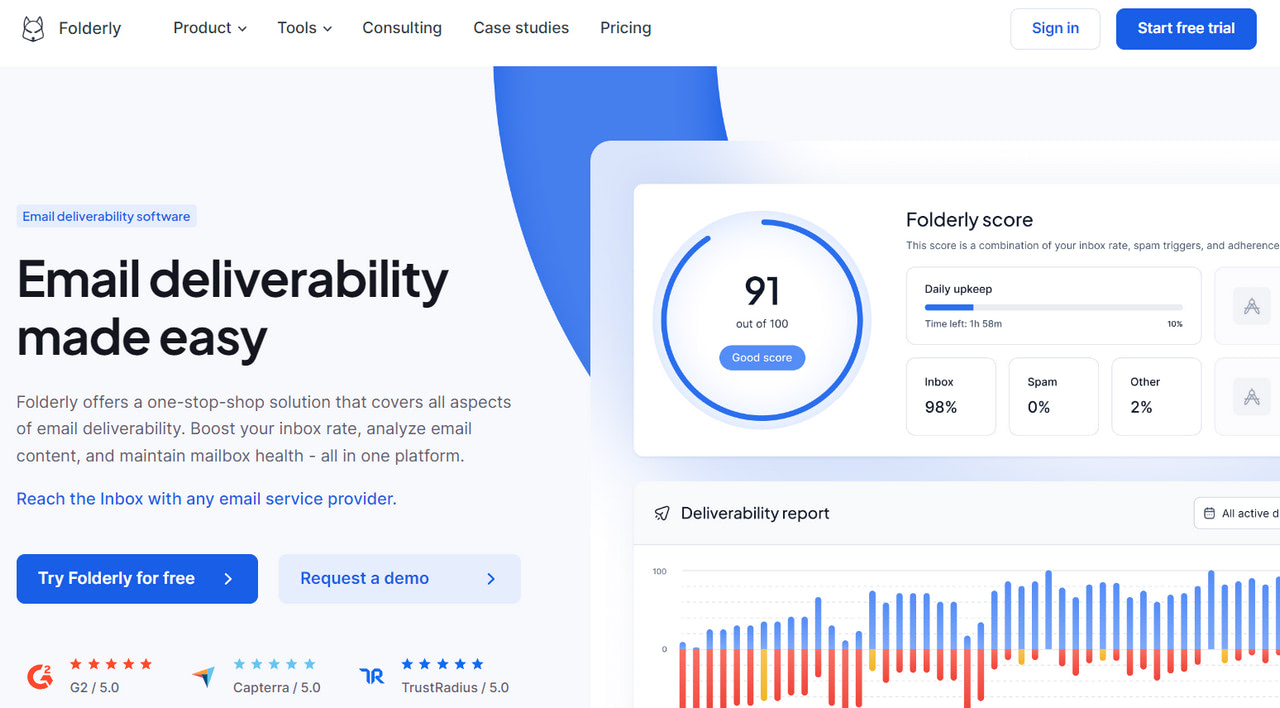
Positioned as done-for-you remediation rather than a test you interpret yourself: warmup and sender-reputation maintenance, daily inbox monitoring, automated placement tests, IP insights with blocklist information, domain health and DNS checks, and spam-trigger content analysis.
Priced per mailbox, which is what makes it expensive at team scale: $96/mailbox/mo on annual billing, with third-party sources reporting $120/mailbox/mo monthly. A separate Inbox Insights line is cheaper and narrower, free for 2 placement tests a month or $79/mo for 100, and a Pulse tier at $0/mo offers real-time spam-placement alerts. No previews, and the API is planned rather than public. The Folderly comparison covers the per-mailbox math.
Best for: teams that would rather buy an outcome than run tests themselves.
10. Mailgun Optimize
Deliverability attached to a sending platform. Mailgun splits into Send (the email API) and Optimize (the deliverability add-on), and Optimize is billed on top of a Send subscription. Optimize Pilot is $49/mo for 25 placement tests, 2,500 validations and 500 previews; Starter is $99/mo for 50 tests, 5,000 validations, 1,000 previews plus blocklist and spam-trap monitoring and Google Postmaster integration, with placement overage around $0.75 per test.
It gives real seed placement, previews across 100+ clients, validation and DMARC monitoring via Red Sift, but there is no dedicated spam score and the value depends on your already sending through Mailgun. Send itself starts at $15/mo, with no dedicated IP until the $90/mo Scale tier. The Mailgun comparison separates the two products.
Best for: teams already sending on Mailgun who want deliverability in the same bill.
11. Validity Everest
The enterprise end: the full suite with seed placement across a large real network (140 ISPs on Enterprise), reputation and blocklist monitoring, infrastructure monitoring and engagement analytics.
Validity no longer publishes Everest pricing, so the honest figures are contract benchmarks reported by buyers rather than list prices. Everest Professional lists around $36,828/yr with a median negotiated price near $22,500/yr; Enterprise lists from about $106,000/yr with a median near $57,558/yr. As of June 2026 pricing routes through Litmus sales. Spam testing arrives via Litmus QA and previews via Litmus rather than Everest itself. The Validity Everest comparison sets out what the money buys.
Best for: high-volume enterprise senders who need seed scale and a contract.
Category 3: mailbox warmup
Warmup tools send and engage with mail from your own mailboxes to build sending reputation gradually. This is the one category on this page where Unspam has nothing to offer: we test, we do not warm up, and no amount of pre-send testing substitutes for the reputation a new domain has to earn. If you are standing up new sending infrastructure, budget for a tool here as well as one above.
12. Warmy
Automated warmup that sends and engages with mail from your mailbox to build sending reputation gradually, with placement tests, blocklist monitoring, template analysis and an AI engine around it.
Warmy no longer publishes prices. The commonly cited public tiers as of June 2026 run from Starter at $49/mo per mailbox (roughly 100 warmup emails a day) through Business $129/mo, Premium $189/mo, Expert $279/mo and Platinum $429/mo at around 5,000 a day, and current quotes come from sales. Spam testing is limited to free checker tools rather than a scored report. Warmup is a real infrastructure capability that pre-send testers, including ours, do not have, so if you are standing up new sending domains this is a separate purchase. Our guide to warming up a domain covers the manual version, and the Warmy comparison covers the automated one.
Best for: outbound teams spinning up new mailboxes or domains at volume.
Category 4: authentication and DMARC monitoring
Both tools here do something no spam checker does: ingest the DMARC XML reports providers send back every day and turn them into a picture of everything sending as your domain. That is how you get from p=none to p=reject without blocking your own invoices.
Unspam covers the first half of this on every test: SPF, DKIM, DMARC and reverse DNS are all verified, which catches a broken or missing record immediately. DMARC monitoring on the Custom plan adds the second half for aggregate reports, but it does not read failure reports, so if enforcement is your main goal the two specialists below go further.
13. EasyDMARC
The specialist. Free covers 1 domain and 1,000 messages a month with 14 days of history, plus free DMARC, SPF, DKIM and BIMI checkers and generators. Plus is EUR 35.99/mo (about $42) billed annually for 2 domains and roughly 100,000 messages a month with failure reports. Premium is EUR 71.99/mo (about $84) annually for 4 domains, up to about 5,000,000 messages, a year of history, unlimited users, TLS reports and alert management. Enterprise is a custom quote and the only tier with API access.
Headline prices are in euros, monthly billing is higher than these annual rates, and the USD figures are approximate at about 1 EUR to 1.16 USD in June 2026. No spam testing, placement, previews or verification at all: this is a DMARC product. The EasyDMARC comparison makes the scope clear.
Best for: anyone enforcing DMARC across one or more domains.
14. MXToolbox
The free lookup tools are an industry default, and the free tier also includes weekly blocklist monitoring for 1 domain across the top 30 lists. Paid Delivery Center is $129/mo for up to 5 domains and 500,000 monthly messages, adding DMARC report processing, inbox placement testing, blocklist monitoring, complaint reporting and SPF/DKIM configuration management. Delivery Center Plus is $399/mo for 5,000,000 messages plus adaptive blocklist monitoring, domain impersonation protection and SPF flattening.
Spam testing is best-practice checks rather than a score, placement covers limited providers, and previews are a single render. Annual discounts are not published. The MXToolbox comparison covers the diagnostic overlap.
Best for: ops teams that want DNS diagnostics and blocklist watching in one place.
Category 5: verification and list hygiene
Neither of these tests a message. They test addresses, which matters because bounces and spam traps damage the reputation that decides placement for every future campaign. Our guide to verification tools goes deeper on the category.
Unspam includes address verification alongside its testing, which covers the common case of checking a list before a send. The two vendors below are what you buy when verification at real volume is the whole job.
15. ZeroBounce
Verification is the core product and it scales, with free covering 100 credits a month that reset (a business or premium domain is required). Pay-as-you-go starts at $20 for 2,000 credits at $0.01 an email, dropping with volume, and credits never expire. Monthly subscriptions start around $18/mo for 2,000 credits.
The deliverability suite lives on one plan: ZeroBounce ONE at $99/mo ($79 billed annually) bundles 10,000 validation credits, 100 inbox placement tests, 250 warmup seeds, 10 blocklist monitors, 1 DMARC monitor domain, 100 server tests and 10,000 email finder searches. Blocklist scanning runs every 8 hours. There is no dedicated spam score and no previews. One caveat when comparing: credit counts and the monthly entry price differ between ZeroBounce's own pages and third-party roundups, so treat the official ONE figures as current. See the ZeroBounce comparison.
Best for: senders whose main problem is a large list of unknown quality.
16. Kickbox
Clean pay-as-you-go verification: 100 free verifications, then $5 one-time for 500 credits at $0.010 an email, $80 for 10,000 at $0.008, $800 for 100,000, and $4,000 for a million at $0.004. Credits expire after 12 months.
The important fact for this comparison: Kickbox discontinued its spam testing and inbox placement suite in January 2024, so despite a long history in deliverability it is a verification vendor now. Authentication help is available through paid consulting. The Kickbox comparison reflects the narrowed scope.
Best for: occasional list cleaning with no subscription.
What the aggregate data says you should actually fix
Tool choice matters less than which problem you have, and across the domains we test the same fundamentals keep failing. Our deliverability benchmark currently shows 93% of tested domains passing SPF and 90% passing DKIM, but only 48% publishing a DMARC policy, so 52% have none at all. Reverse DNS passes on 99%. Only 14% send the one-click List-Unsubscribe header that Gmail and Yahoo have required from bulk senders since February 2024, and just 43% pass HTML best practices.
Blocklists are rarer than the anxiety around them suggests but far from harmless: 6% of the sending IPs we check appear on an IP blocklist, against 0.30% of domains. One listing is enough to move a whole campaign to spam, which is why an on-demand IP blocklist check belongs in your pre-send routine rather than your incident response.
Read those numbers as a shopping list. If you have no DMARC policy, a rendering QA tool will not help you. If your HTML is failing best practices and your unsubscribe header is missing, a seed network will confirm you land in spam without telling you why.
How to choose without overbuying
Name the symptom first. "Campaigns go to spam" points at pre-send testing. "I do not know who sends as my domain" points at DMARC monitoring. "Half my list bounced" points at verification. "New domain, no reputation" points at warmup. The categories above are not marketing segments, they run on different infrastructure.
Check what the free tier really includes. Several here are large enough to answer your question outright: 3 tests a day, 100 verification credits a month, a monitored domain, or 3 placement tests. Exhaust those before you spend, and use our step-by-step deliverability check to work through the diagnosis in order.
Price the billing model, not the headline. Per-mailbox pricing (Folderly, Warmy, MailReach warmup) multiplies with team size. Credit models (GlockApps, MailReach tests, Kickbox, ZeroBounce) depend on whether credits expire, and GlockApps credits do expire monthly. Add-on models (Mailgun Optimize, Litmus Deliverability) require the base subscription too. Annual billing is 17% to 30% cheaper at several vendors, and GlockApps monthly is about 30% above its annual rate.
Confirm placement is real, not simulated. Filter simulation and seed-mailbox placement are both called testing and are not equivalent. Mailtrap simulates in a sandbox, Litmus simulates filters and sells real seeds as an add-on, and GlockApps, MailReach, Folderly, Mailgun Optimize, ZeroBounce ONE, Everest and Unspam use real seed mailboxes.
Watch for scope that has changed. This market moved fast in the last two years: Kickbox dropped placement in January 2024, Litmus retired its entry tiers in August 2025, Validity bought Litmus in April 2025 and merged Everest into it in early 2026, and Email on Acid began migrating to Mailgun Inspect in June 2026. Review roundups that have not been updated will quote tiers and features that no longer exist. Our full audit walkthrough shows what a complete check covers regardless of vendor.
The short answer
If you want one recommendation per situation: for pre-send testing on a budget, start with the free tiers at Unspam or Mail-Tester. For placement numbers at the lowest per-test cost, MailReach. For placement in the same report as the pre-send checks, Unspam. For placement plus DMARC from one vendor, GlockApps. For DMARC enforcement, EasyDMARC. For rendering QA at scale, Litmus, or Unspam where previews across 50+ clients are enough. For verification, ZeroBounce or Kickbox depending on whether you want a subscription. For warmup, Warmy or MailReach. For enterprise seed scale with a contract, Validity Everest.
Most teams need two tools, not eight: one pre-send tester that covers spam score, previews, authentication and placement, plus one specialist for whichever of DMARC, verification or warmup their setup genuinely requires. The failure mode is buying a $500 a month rendering platform for a problem that turns out to be a missing DMARC record.
You can run a free spam test on your next campaign right now and see which category your problem actually falls into before you spend anything.
